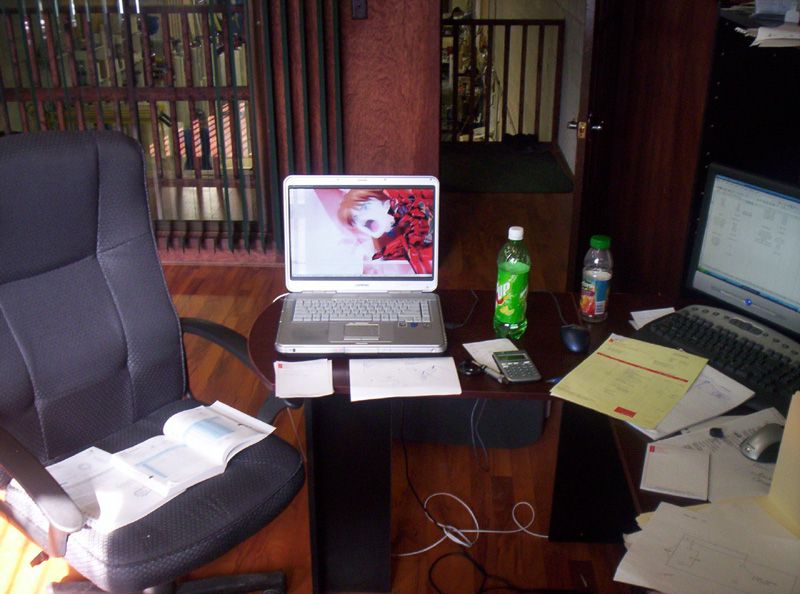
or a few less monitors
I think I need a bigger desk
-
Giraffe }{unter
- Posts: 2941
- Joined: Fri Mar 17, 2000 8:00 am
I think I need a bigger desk
or a few less monitors
-
Freakaloin
- Posts: 10620
- Joined: Tue May 07, 2002 7:00 am
Re: I think I need a bigger desk
lol... I'm a moron...Giraffe }{unter wrote:
or a few less monitors
-
Giraffe }{unter
- Posts: 2941
- Joined: Fri Mar 17, 2000 8:00 am
-
SplishSplash
- Posts: 4467
- Joined: Sun Dec 03, 2000 8:00 am
-
Giraffe }{unter
- Posts: 2941
- Joined: Fri Mar 17, 2000 8:00 am
well err... nothing too crazy, but it does come in handy. I often use our company's remote assistance client. It's like "WebX" or remote desktop, but the user can see what I am doing and also intervene. Great for training and troubleshooting I use one screen for their PC and one for looking up drivers, info, etc and using the clients diagnostic tools. Now I Have 2 screens for that and one for the clientSplishSplash wrote:Even though you look like a dude not to fuck with, I have to ask the following question:
What do you do with that rig?
CAD, video editing, animation, ...?
I'm sure you don't have 3 monitors just to write letters and surf the web, right?
Ive been using 2 monitors for years now. I rarely game on my PC anymore so I picked up 2 Dell 1704FPVs monitors they are awesome for windows applications 1000:1 contrast and 25ms responce. They rock for everything but gaming
The 3rd monitor is a 1704FPT with a 12ms responce time which I was testing out as my primary monitor to server 2 purposes.
1. Screen for my Xbox so I can get rid of the CRT
2. Main screen for my PC so I have the option to game without ghosting.
The 1704FPT FAILED miserably for both in the Gaming category at 1280 x 1024 it's pretty good, no visible ghosting and looks smooth as butter, the colors are beautiful. At this point I was impressed.
BUT my Xbox using the X2VGA converter does High Definition output to RGB signal, looks 10x better than normal Xbox on a TV screen when displayed on a PC monitor, NOT THIS MONITOR since high def signal is not the monitor's native 1280 x 1024 is looks like hell, distorted text and pixels. Still playable with no ghosting, but not very pretty.
In Windows If you so much as shift your head to the right or left you loose all sense of color. I remember reading the viewing angle was bad on these things, but seriously Dude this is terrible.
If you spend allot of time in windows like I do, browsing the web, email, working etc... do not get this monitor. My wife came in and she cannot sit next to me and look at stuff onscreen because everything is a hazy shade of red sitting right next to me.
This monitor will prolly go back to Dell in a week I'm toying with the 3 monitor setup, but I am NOT keeping this 1704FPT hunk of crap.
This first set of pics is from the 1704FPT on the right and a 1704FPVs on the left
From head on you will notice some color difference in the 1704FPT
[lvlshot]http://pages.prodigy.net/dpfalandys/llama/1704FPx/tcolors.JPG[/lvlshot]
Now a view from a slightly elevated angle
[lvlshot]http://pages.prodigy.net/dpfalandys/llama/1704FPx/tfront.JPG[/lvlshot]
From the side
[lvlshot]http://pages.prodigy.net/dpfalandys/llama/1704FPx/t-trio.JPG[/lvlshot]
[lvlshot]http://pages.prodigy.net/dpfalandys/llama/1704FPx/tabove.JPG[/lvlshot]
[lvlshot]http://pages.prodigy.net/dpfalandys/llama/1704FPx/taboveclose.JPG[/lvlshot]
[lvlshot]http://pages.prodigy.net/dpfalandys/llama/1704FPx/tside.JPG[/lvlshot]
Look how Hazy the screen is
[lvlshot]http://pages.prodigy.net/dpfalandys/llama/1704FPx/tside2.JPG[/lvlshot]
Similar Photos taken with 2 1704FPVs
[lvlshot]http://pages.prodigy.net/dpfalandys/llama/1704FPx/vabove2.JPG[/lvlshot]
[lvlshot]http://pages.prodigy.net/dpfalandys/llama/1704FPx/Vabove.JPG[/lvlshot]
[lvlshot]http://pages.prodigy.net/dpfalandys/llama/1704FPx/Vside.JPG[/lvlshot]
[lvlshot]http://pages.prodigy.net/dpfalandys/llama/1704FPx/Vtrio.JPG[/lvlshot]
Last edited by Giraffe }{unter on Wed Mar 09, 2005 4:23 pm, edited 2 times in total.
-
Dark Metal
- Posts: 5496
- Joined: Sun Feb 20, 2000 8:00 am
-
Giraffe }{unter
- Posts: 2941
- Joined: Fri Mar 17, 2000 8:00 am
-
Giraffe }{unter
- Posts: 2941
- Joined: Fri Mar 17, 2000 8:00 am
Not sure about the PS2 but if you want to hook up your Xbox Via VGA this is the ONLY solution.

X2VGA+ (NTSC XboX only)
The first product is for us computer guys, we like good graphics, and somehow everything isn't as bright and sharp on the TV. The Neoya X2VGA+ gives you crystal clear, utlra sharp, beautiful High Definiton display on your computer monitor. When I first hooked it up I was totally floored. Most VGA adapters look like fuzzy crap at best, it would be worse than TV, but Neoya has done something right, I cannot describe how clear and sharp the game is on my monitor
FYI there is a short wait due to shipping since the only place to order is from Japan 5-14 days (for now)
Sale price: US$ 64.95 Per Piece (major price drop from $84.00)
Handling and Shipping fees: US$ 13 for 5 to 14 day -or- US$ 21 for 3 to 5 day
It has a monitor in/out so you can use it in line with your current monitor and switch back and forth from xbox to PC. It also has 1/8 in stereo in/out so you can pass through your PC speakers or headphones.
[lvlshot]http://www.x2vga.com/images/x2vga_applicationexamples.jpg[/lvlshot]
Halo2 on a 17" CRT monitor in High Def.
[lvlshot]http://pages.prodigy.net/dpfalandys/llama/xbox/HaloFOV/orig.jpg[/lvlshot]
Since you'll be gaming PC style You should also purchase the Smartjoy Frag
Allows you to use the xBox with a keyboard and mouse, Works awesome if you take 1 minute to read the direction on how to map keys. If you do what I did and try to change a few keys on an already setup preset, you will surely get frustrated.
I ordered it from > Lik-Sang
[lvlshot]http://pages.prodigy.net/dpfalandys/llama/xbox/smartjoy.jpg[/lvlshot]

X2VGA+ (NTSC XboX only)
The first product is for us computer guys, we like good graphics, and somehow everything isn't as bright and sharp on the TV. The Neoya X2VGA+ gives you crystal clear, utlra sharp, beautiful High Definiton display on your computer monitor. When I first hooked it up I was totally floored. Most VGA adapters look like fuzzy crap at best, it would be worse than TV, but Neoya has done something right, I cannot describe how clear and sharp the game is on my monitor
FYI there is a short wait due to shipping since the only place to order is from Japan 5-14 days (for now)
Sale price: US$ 64.95 Per Piece (major price drop from $84.00)
Handling and Shipping fees: US$ 13 for 5 to 14 day -or- US$ 21 for 3 to 5 day
It has a monitor in/out so you can use it in line with your current monitor and switch back and forth from xbox to PC. It also has 1/8 in stereo in/out so you can pass through your PC speakers or headphones.
[lvlshot]http://www.x2vga.com/images/x2vga_applicationexamples.jpg[/lvlshot]
Halo2 on a 17" CRT monitor in High Def.
[lvlshot]http://pages.prodigy.net/dpfalandys/llama/xbox/HaloFOV/orig.jpg[/lvlshot]
Since you'll be gaming PC style You should also purchase the Smartjoy Frag
Allows you to use the xBox with a keyboard and mouse, Works awesome if you take 1 minute to read the direction on how to map keys. If you do what I did and try to change a few keys on an already setup preset, you will surely get frustrated.
I ordered it from > Lik-Sang
[lvlshot]http://pages.prodigy.net/dpfalandys/llama/xbox/smartjoy.jpg[/lvlshot]
-
Giraffe }{unter
- Posts: 2941
- Joined: Fri Mar 17, 2000 8:00 am
I had a look at x2vga yesterday, but their order page says:Giraffe }{unter wrote:Not sure about the PS2 but if you want to hook up your Xbox Via VGA this is the ONLY solution.
.. so guess it won't work for me? I've got a PAL Xbox, but it's chipped so I'm not sure. Also, I was thinking more in terms of getting a single device which could handle both consoles. I'm not overly picky about visual quality and whatnot. I've been doing a bit of digging around and came up with this baby which seems as it'll do the trick. Any thoughts on it?Microsoft disables the high-definition video output on the PAL version Xbox(only sold in Europe, Australia, NZ, Hong Kong etc.), so it cannot work normally with the X2VGA+. However, the Xbox consoles sold in North America, Japan, etc. which belong to the NTSC version, will work fine with X2VGA+. Please take note of this in advance. We will not accept exchange or refund for this cause.
I think the third monitor is for show, I don't see it working.
To trully boast about your setup up, you really have to have that third monitor up and running so we can see what google looks like on three monitors.
This is what mine looks like: (dual monitors)
[lvlshot]http://upload.docdesign.org/dualmonitorscreenie.jpg[/lvlshot]
To trully boast about your setup up, you really have to have that third monitor up and running so we can see what google looks like on three monitors.
This is what mine looks like: (dual monitors)
[lvlshot]http://upload.docdesign.org/dualmonitorscreenie.jpg[/lvlshot]
-
Giraffe }{unter
- Posts: 2941
- Joined: Fri Mar 17, 2000 8:00 am
Looks good, don't know anyone who has it thoughU4EA wrote:
.. so guess it won't work for me? I've got a PAL Xbox, but it's chipped so I'm not sure. Also, I was thinking more in terms of getting a single device which could handle both consoles. I'm not overly picky about visual quality and whatnot. I've been doing a bit of digging around and came up with this baby which seems as it'll do the trick. Any thoughts on it?
You're right it's off the pic was taken before iinstalled the PCI video card (Jaton nVIDIA GeForce2 MX400)denzii wrote:I think the third monitor is for show, I don't see it working.
The photos were taken to show the difference between the 1704FPVs and 1704FPT monitors on one video card. I didn't want to confuse the people that requested the photos with a 3rd monitor and video card.
FYI I'm back to two again I'm shipping that hunk of shit 1704FPT back to Dell :icon30:
-
phantasmagoria
- Posts: 8525
- Joined: Wed Oct 22, 2003 7:00 am
just get a fucking grand canyon display and get on with your life.